COOK
COOK (Configure Once, Operate Knowledge) is the launchpad for creating and customizing Data Agents. It serves as the intuitive interface where you set up, configure, and deploy personalized context pipelines that transform raw data into actionable intelligence. With COOK, you can rapidly build tailored data workflows that power your AI applications with relevant, structured insights.
See how to configure and deploy Data Agents using COOK
What You Build With COOK
Data Agents are specialized AI pipelines that continuously process domain-specific information from various sources like social media, news, blockchain data, and financial feeds. They filter, analyze, and structure this data into insights that AI applications can immediately use.
What Makes Data Agents Special?
- Real-time Processing: Continuously updated insights as new data arrives
- Domain Expertise: Specialized knowledge for specific use cases
- AI-Ready Output: Structured data that integrates seamlessly with AI models
- Customizable: Tailored to your specific needs and preferences
How COOK Works
Data Flow Architecture
- Data Ingestion: Ingest data from multiple data sources
- Preprocessing: Cleans, filters, and validates incoming data
- Analysis: Applies domain-specific user-defined algorithms and AI models
- Structuring: Formats output into consistent, machine-readable formats
- Delivery: Provides real-time feeds via API and MCP endpoints
Core Components
- Source Connectors: APIs and scrapers for various data sources
- Processing Engine: AI-powered analysis and filtering
- Output Formatters: Convert insights into structured formats
- Delivery System: Real-time API endpoints and webhooks
How to Use COOK
COOK (Heisenberg Launchpad) provides a complete visual interface for creating and managing Data Agents. No code required.
Key Features
Agent Discovery & Creation - Browse pre-built Data Agent blueprints or create custom agents from scratch.
4-Step Configuration Wizard - Guided setup process that walks you through agent creation with clear instructions at each step.
Live Simulation Testing - Test your agent with real prompts and see streaming responses before deployment.
Dashboard Management - Monitor your agents, view activity, update configurations, and manage your entire agent fleet.
The 4-Step Wizard
When you create or customize a Data Agent in COOK, you'll go through four clear steps:
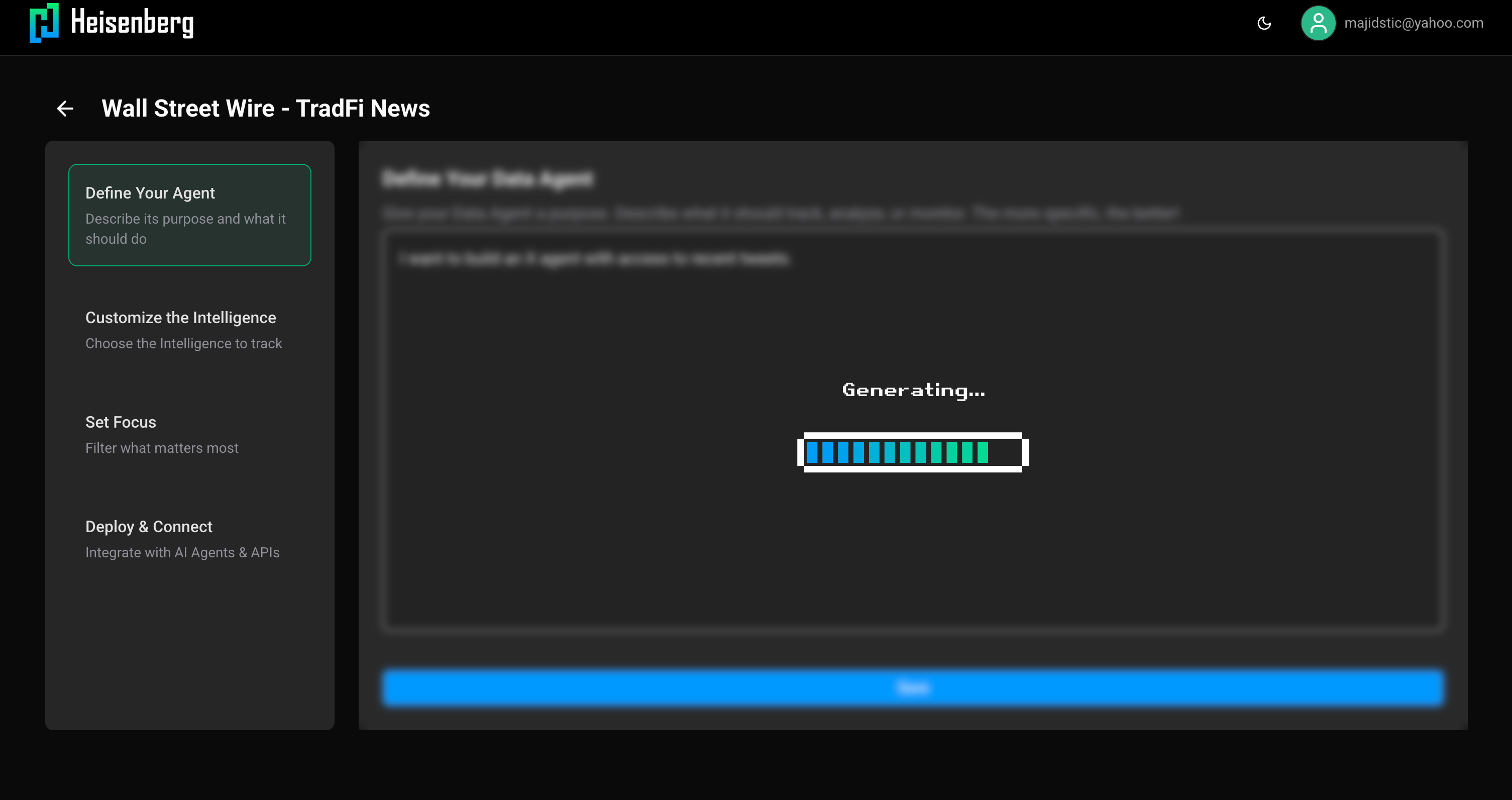
The 4-step wizard guides you through agent creation with clear navigation
Step 1: Define Description
Set your agent's name, purpose, and initial description. This step establishes what your agent will do and what data it will process.
- Agent name and identifier
- Purpose statement
- Functional description
- Data scope definition
Step 2: Customize Intelligence
Select the insights and metrics your agent should track. Configure what intelligence your agent generates from the raw data.
- Choose key metrics to monitor
- Select insight types to generate
- Configure analysis depth
- Define output structure
Step 3: Set Focus
Configure filters and targeting to narrow down exactly what data your agent processes. This ensures you get relevant, focused results.
- Define data filters (keywords, hashtags, accounts)
- Set focus areas (topics, verticals, categories)
- Configure relevance thresholds
- Specify token lists or entity filters
Step 4: Deploy & Connect
Review your configuration and deploy. Get integration endpoints for your AI systems.
- Review complete configuration
- Deploy your agent instance
- Receive API endpoints
- Connect via MCP or direct API
Your progress is saved at each step, so you can return later to continue configuration.
Testing Your Agent
Before going live, use COOK's simulation feature:
Live Simulation Interface - A chat-like interface where you send prompts and see real-time streaming responses from your agent.
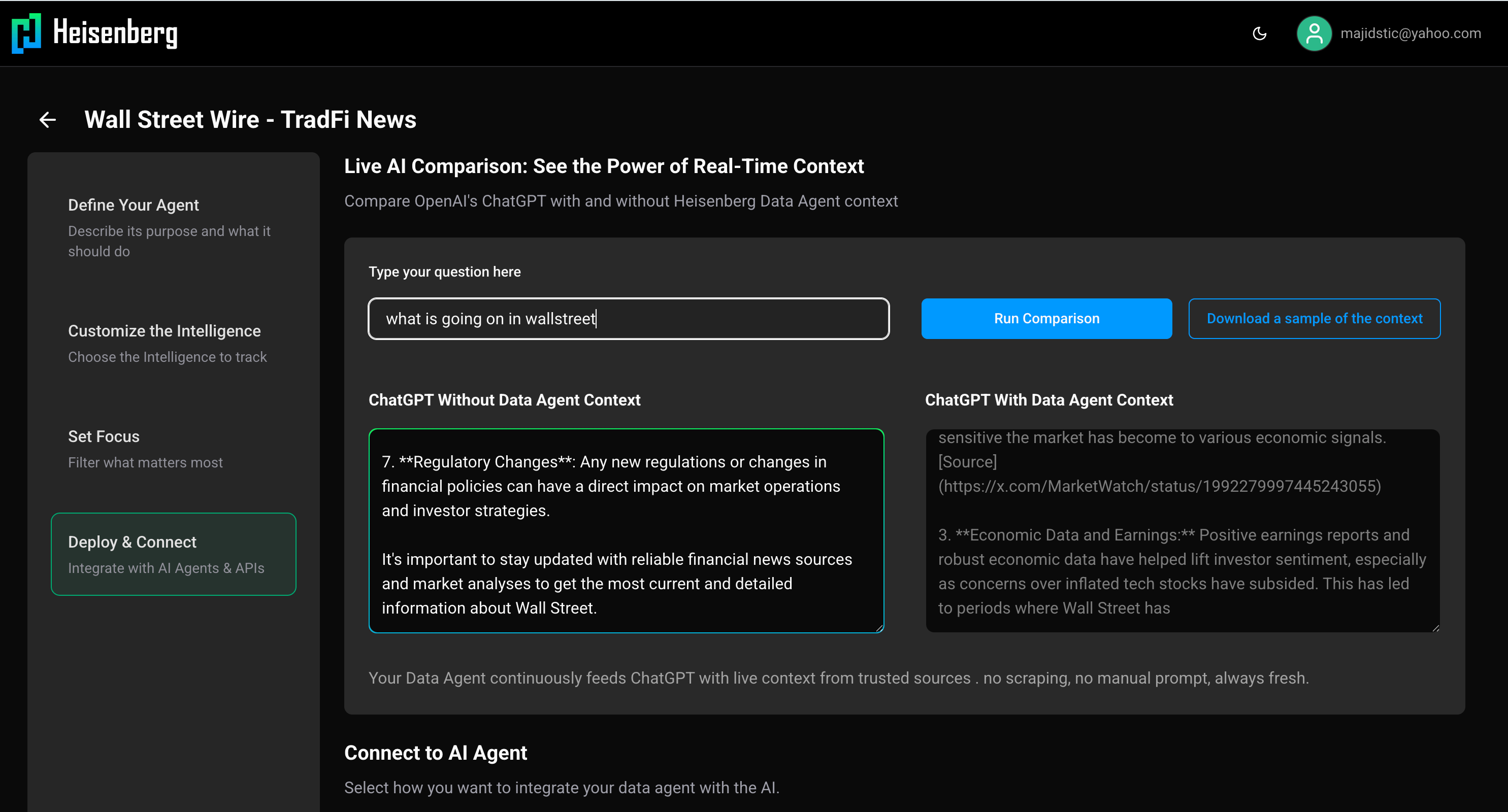
Test your Data Agent with live prompts and see real-time streaming responses
Intelligent/Non-Intelligent Modes - Test both raw data queries and AI-enhanced responses.
Real-time Streaming - See responses as they're generated using Server-Sent Events (SSE).
Refinement Workflow - Test, adjust configuration, test again until you're satisfied with the results.
Managing Your Agents
The COOK dashboard provides complete agent management:
"Ready to Deploy" Section - Browse pre-built agent blueprints from the marketplace.
"My Data Agents" Section - View and manage your deployed agent instances with pagination for large fleets.
Agent Operations - Create instances, update configurations, delete agents, and monitor performance.
Activity History - Track your agent's activity, queries, and performance metrics over time.
Authentication
X (Twitter) OAuth - Sign in with your X/Twitter account for seamless authentication.
Google Login - Alternative sign-in method using your Google account.
OTP Email Authentication - Traditional email-based one-time password authentication.
JWT Token Sessions - Secure session management with automatic token refresh.
Integration Options
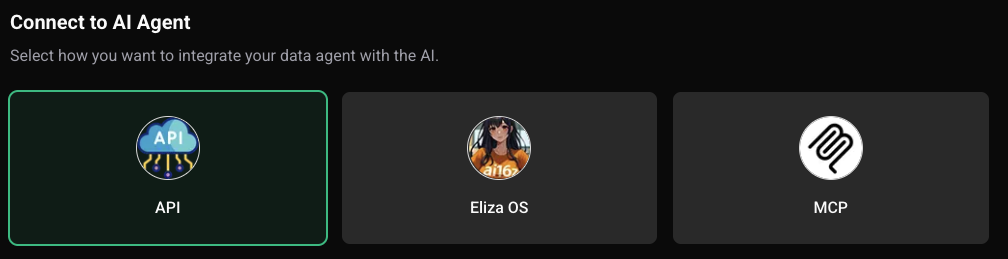
Once your Data Agent is configured in COOK, you can deploy it instantly and connect through:
- API: Secure REST endpoints
- MCP: Plug directly into multi-cloud workflows
- ElizaOS: Integrate into autonomous agent frameworks
Best Practices
Security & Privacy
- API Key Management: Securely store and rotate access credentials
- Rate Limiting: The rate is limited for public use, please contact us if you need higher rate at Email Support